1 / 2
WordPress Plugins
Popping Sidebars and Widgets for WordPress
Developed by OTWthemes
⭐
⭐
⭐
⭐
⭐
4.6
$27
USD
Categories
Widgets
Unlimited Popping Sidebars and Widgets for WordPress
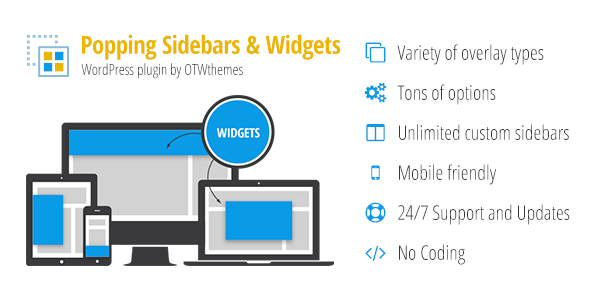
Create popping custom responsive layouts with sidebars and widgets in just a few clicks. Choose from variety of overlays, positioning, page visibility, active period, open/close events, custom styling, custom sidebars and much more.
3 types of Overlay – Full Bar (push and over site content), Side Box (push and over site content), Popup/Lightbox
Positioning – Header, Footer, Left, Right, Popup
Custom Responsive Layouts in your Overlay
Create Unlimited Custom Sidebars
Any Sidebar and Widget in your Overlay
Visibility for any set of pages, page templates, posts , categories, tags, archives, custom post types, taxonomies, user roles, WPML languages, WooCommerce, bbPress, BuddyPress
Set Multiple Activation Periods
Set Open/Close events
Custom Styling via an interface in the back-end
Easy and Intuitive administration that fits WordPress core design
Support and Updates
How It Works
Create Sidebars – as many as you need
Set up Your Overlay – choose type, positioning, page visibility, active period, open/close events, styling, etc.
Create Layout and Insert Sidebars – just a few clicks with the OTW Grid Manager
3 Types of Overlay
Full Bars – Header, Footer, Left or Right Positioning, Push or Over site content, Fixed or Scrolling with the Page, Slide or Fade Animation
Side Boxes – Header, Footer, Left or Right Positioning, Fixed or Scrolling with the Page, Slide or Fade Animation
Popups / Lightboxes – 7 animations, Overlay and Popup Styling
Open & Close Events
All types of overlays can be activated for different type of Open and Close Event.
Open Events – on page load, on page load with delay, after a number of page views, after a number of seconds spent on the site, on exit intent, WooCommerce abandoners, scroll/click to an id or class or % of the page, trigger from a link, button or WordPress menu
Close Event – close until next page load, show/hide button (custom labels, HTML and icons, show button horizontal or vertical text alignment) , close for number of page loads, close for number of days, No close button, Close on scroll to a css id or class
Multiple Activation Periods
Set up as many activation periods as you need. The overlay will be visible on your site for the periods you create. Setup start and end dates, days of the week, hours of the day.
Visibility Settings
All types of overlays can be set to be visible on any set of pages on your site.
Posts and taxonomies – Pages, posts , categories, tags, custom post types, custom taxonomies
Templates – Page templates, template hierarchy, taxonomy archives, user roles
Plugin support – WPML languages, WooCommerce, bbPress, BuddyPress, etc.
Unlimited Custom Styling
Style your overlays however you want.
Theme styles – The plugin will follow your theme styling for the main html tags.
Styling Interface – Styling via the interface is available for: Shadows, Borders, Rounded Corners, Background color or pattern image, Show/Hide Buttons, Animations, Paddings.
Custom CSS – You can further style by doing some custom CSS. Unique and custom classes are available for all overlays.
Unlimited Number of Sidebars
This plugin will allow you to create unlimited number of custom sidebars that you will be able to place in your overlays. Once a sidebar is created it will be available in Appearance -> Widgets section just like any other sidebar. Newly created sidebars can have vertical or horizontal widget alignment.
Vertical and Horizontal widget alignment
Vertical – This is the default WordPress widget alignment. The widgets in sidebars (widget areas) with vertical alignment are arranged in a column bellow each other.
Horizontal – The widgets in sidebars (widget areas) with horizontal alignment will be arranged in a row next to each other (lined up on the same line). Such widget areas are fluid and very flexible. The widget area width will be equally divided between all widgets in this widget area.
You can read more on Horizontal or vertical widget alignment.
Custom Responsive Layouts
Creating custom responsive layouts in your overlays is just a few clicks job with the OTW Grid Manager. No coding is required. It is all done in a very easy to use drag & drop interface.
Some of the features of OTW Grid Manager:
Responsive Layouts
Save & Load Templates
Drag & Drop Interface
Clone, Resize, Edit, Delete
Insert Sidebars
Translation/Localization
This plugin comes Localization/Internationalization ready. It is following WordPress I18n standards. It can be easily translated or localized in other languages different than English. We have included .po/.mo files.
Interface and Performance optimizations
Fits well into the core WordPress design
Optimized performance for large WP installations
Ajax based operations so you don’t have to wait on pages to refresh
Theme Authors and Developers
Include this item in your themes and give your users tons of functionality. All you need is 1 extended license for each theme you put on the market and permission from the author which you get by writing us.
Updates
If you have any suggestions on how to improve this item please let us know! We will seriously consider any suggestion and add it to item’s update list
Ratings
If you like this item please consider rating it as a way of supporting consistent improvements. Note: If you are rating below 5 stars, please contact us. We’ll try to do our best to assist or fix all your points of criticisms.
Changelog
Version 2.21 (06.04.2022)
Fixed: dynamic shortcode fields
Fixed: shortcode dialog button on live preview
Updated: Set default version of sanitized requests
Version 2.19 (17.02.2022)
Fixed: metrics for content width
Fixed: overlay template manage
Updated: core components
Version 2.18 (28.10.2021)
Updated: lang files update
Updated: allow no params
Updated: php8 updates
Updated: latest wp interface changes
Updated: OTW factory
Updated: remove jquery libs
Updated: use trigger to close html areas
Fixed: fix preview
Fixed: message format fix
Fixed: fix html texts
Fixed: small screens fix
Fixed: form latest version
Version 2.17 (23.05.2021)
Updated: Libraries updated to the latest version: flexislider, colorpicker, datetime picker, select2, footable, animate shadow, countdown, quicksand, nivo-lightbox, owl carousel, waypoints
Updated: Translations file
Updated: CSS optimizations
Updated: post and get sanitizing
Updated: option to close the bars by clicking element by id or class
Updated: change checked jquery behaivour
Updated: remove unused code
Updated: strict modes
Updated: file systems
Fixed: special case for scrolling position of fixed content
Fixed: text espapes and refixed libs
Version 2.16 (05.10.2018)
Fixed: fix trailing slash
Added: content width, max and min option
Updated: apply patch for multisite
Updated: OTW api plugin update and verify
Version 2.15 (07.12.2017)
Updated: latest version of otw factory
Fixed: error mode modification
Version 2.14 (23.06.2017)
Updated: WordPress 4.8 compatibility
Updated: OTW core components
Fixed: missing bottom
Fixed: magnific popups custom class applied to avoid conflicts
Fixed: custom timeout for slower pages
Fixed: better scroll
Version 2.13 (17.09.2016)
Updated: deprecated functions update
Updated: https calls to google fonts
Version 2.12 (19.04.2016)
Updated: WordPress 4.5 compatibility
Updated: OTW core componets update
Version 2.11 (09.01.2016)
Added: custom css area in plugin options
Version 2.9 (11.10.2015)
Updated: js shortcodes settings optimization
Version 2.8 (09.10.2015)
Fixed: WPML issues fixed
Fixed: Correct positioning on scrolling/fixed overlays on scrolled page refresh
Version 2.7 (03.07.2015)
Fixed: use component path instead of component url
Version 2.6 (12.06.2015)
Fixed: Close event – Number of days
Fixed: Close effects for background
Updated: Combine js and css libs
Version 2.5 (22.05.2015)
Fixed: Exception for missing selector
Version 2.4 (18.05.2015)
Added: Full bar & Sidebox – no close option
Added: Full bar & Sidebox – close on scroll to css class or id
Fixed: Visibility tabs posts pagination
Version 2.3 (20.04.2015)
Updated: checkbox group align on short texts
Updated: include admin js only when needed
Fixed: hide pattern on small screen
Added: option to repeat the overlay pattern
Version 2.2 (01.03.2015)
Fixed: content scrolling on small screens
Version 2.1 (27.02.2015)
Fixed: conflict with content manager light plugin
Fixed: fix including internal scripts when adding double slash
Fixed: content scrolling on small screens
Version 2.0 (03.12.2014)
Added: Duplicate overlays option
Added: Icons option for show button label
Added: Show button label – Allow HTML
Added: Show button vertical text option
Added: Hide button custom text label
Added: Hide button label icon
Added: Hide button label – Allow HTML.
Added: Show/Hide button text color options
Added: Trigger from a button shortcode option
Added: Full Bar and Side Box – push and over site content positioning
Added: Full Bar background Pattern Option
Added: Light box close event – close on X click, out of the box click or content click
Added: Load Event – WooCommerce abandoners – trigger overlay on exit intent if woocommerce cart has items
Added: Load Event – After Number of Seconds Spent on the Site
Added: Load Event – when the user scrolls down some % of the page content
Added: Load Event – when the user scrolls down to a class name or an ID
Added: Load Event – when the user clicks a tag having a class name or an ID
Added: Option to scroll content for screens smaller than the popup content
Updated: Hide for small screens – separate options to show/hide on large and small screens
Updated: Stay in edit screen after save
Updated: Exit intent to not include the browser’s scroller
Updated: Inline guidelines
Updated: Create multiple Active Periods with lots of flexible optios
Fixed: Small Screens hide overlay content on close issue
Version 1.4 (03.09.2014)
Added: Trigger all overlay types from a menu link
Version 1.3 (28.08.2014)
Added: .po/.mo language files
Added: missing a few text domains
Version 1.2 (26.08.2014)
Fixed: sidebar calls
Version 1.1 (25.08.2014)
Updated: Powered by link
Version 1.0 (25.08.2014)
Initial release
Create popping custom responsive layouts with sidebars and widgets in just a few clicks. Choose from variety of overlays, positioning, page visibility, active period, open/close events, custom styling, custom sidebars and much more.
3 types of Overlay – Full Bar (push and over site content), Side Box (push and over site content), Popup/Lightbox
Positioning – Header, Footer, Left, Right, Popup
Custom Responsive Layouts in your Overlay
Create Unlimited Custom Sidebars
Any Sidebar and Widget in your Overlay
Visibility for any set of pages, page templates, posts , categories, tags, archives, custom post types, taxonomies, user roles, WPML languages, WooCommerce, bbPress, BuddyPress
Set Multiple Activation Periods
Set Open/Close events
Custom Styling via an interface in the back-end
Easy and Intuitive administration that fits WordPress core design
Support and Updates
How It Works
Create Sidebars – as many as you need
Set up Your Overlay – choose type, positioning, page visibility, active period, open/close events, styling, etc.
Create Layout and Insert Sidebars – just a few clicks with the OTW Grid Manager
3 Types of Overlay
Full Bars – Header, Footer, Left or Right Positioning, Push or Over site content, Fixed or Scrolling with the Page, Slide or Fade Animation
Side Boxes – Header, Footer, Left or Right Positioning, Fixed or Scrolling with the Page, Slide or Fade Animation
Popups / Lightboxes – 7 animations, Overlay and Popup Styling
Open & Close Events
All types of overlays can be activated for different type of Open and Close Event.
Open Events – on page load, on page load with delay, after a number of page views, after a number of seconds spent on the site, on exit intent, WooCommerce abandoners, scroll/click to an id or class or % of the page, trigger from a link, button or WordPress menu
Close Event – close until next page load, show/hide button (custom labels, HTML and icons, show button horizontal or vertical text alignment) , close for number of page loads, close for number of days, No close button, Close on scroll to a css id or class
Multiple Activation Periods
Set up as many activation periods as you need. The overlay will be visible on your site for the periods you create. Setup start and end dates, days of the week, hours of the day.
Visibility Settings
All types of overlays can be set to be visible on any set of pages on your site.
Posts and taxonomies – Pages, posts , categories, tags, custom post types, custom taxonomies
Templates – Page templates, template hierarchy, taxonomy archives, user roles
Plugin support – WPML languages, WooCommerce, bbPress, BuddyPress, etc.
Unlimited Custom Styling
Style your overlays however you want.
Theme styles – The plugin will follow your theme styling for the main html tags.
Styling Interface – Styling via the interface is available for: Shadows, Borders, Rounded Corners, Background color or pattern image, Show/Hide Buttons, Animations, Paddings.
Custom CSS – You can further style by doing some custom CSS. Unique and custom classes are available for all overlays.
Unlimited Number of Sidebars
This plugin will allow you to create unlimited number of custom sidebars that you will be able to place in your overlays. Once a sidebar is created it will be available in Appearance -> Widgets section just like any other sidebar. Newly created sidebars can have vertical or horizontal widget alignment.
Vertical and Horizontal widget alignment
Vertical – This is the default WordPress widget alignment. The widgets in sidebars (widget areas) with vertical alignment are arranged in a column bellow each other.
Horizontal – The widgets in sidebars (widget areas) with horizontal alignment will be arranged in a row next to each other (lined up on the same line). Such widget areas are fluid and very flexible. The widget area width will be equally divided between all widgets in this widget area.
You can read more on Horizontal or vertical widget alignment.
Custom Responsive Layouts
Creating custom responsive layouts in your overlays is just a few clicks job with the OTW Grid Manager. No coding is required. It is all done in a very easy to use drag & drop interface.
Some of the features of OTW Grid Manager:
Responsive Layouts
Save & Load Templates
Drag & Drop Interface
Clone, Resize, Edit, Delete
Insert Sidebars
Translation/Localization
This plugin comes Localization/Internationalization ready. It is following WordPress I18n standards. It can be easily translated or localized in other languages different than English. We have included .po/.mo files.
Interface and Performance optimizations
Fits well into the core WordPress design
Optimized performance for large WP installations
Ajax based operations so you don’t have to wait on pages to refresh
Theme Authors and Developers
Include this item in your themes and give your users tons of functionality. All you need is 1 extended license for each theme you put on the market and permission from the author which you get by writing us.
Updates
If you have any suggestions on how to improve this item please let us know! We will seriously consider any suggestion and add it to item’s update list
Ratings
If you like this item please consider rating it as a way of supporting consistent improvements. Note: If you are rating below 5 stars, please contact us. We’ll try to do our best to assist or fix all your points of criticisms.
Changelog
Version 2.21 (06.04.2022)
Fixed: dynamic shortcode fields
Fixed: shortcode dialog button on live preview
Updated: Set default version of sanitized requests
Version 2.19 (17.02.2022)
Fixed: metrics for content width
Fixed: overlay template manage
Updated: core components
Version 2.18 (28.10.2021)
Updated: lang files update
Updated: allow no params
Updated: php8 updates
Updated: latest wp interface changes
Updated: OTW factory
Updated: remove jquery libs
Updated: use trigger to close html areas
Fixed: fix preview
Fixed: message format fix
Fixed: fix html texts
Fixed: small screens fix
Fixed: form latest version
Version 2.17 (23.05.2021)
Updated: Libraries updated to the latest version: flexislider, colorpicker, datetime picker, select2, footable, animate shadow, countdown, quicksand, nivo-lightbox, owl carousel, waypoints
Updated: Translations file
Updated: CSS optimizations
Updated: post and get sanitizing
Updated: option to close the bars by clicking element by id or class
Updated: change checked jquery behaivour
Updated: remove unused code
Updated: strict modes
Updated: file systems
Fixed: special case for scrolling position of fixed content
Fixed: text espapes and refixed libs
Version 2.16 (05.10.2018)
Fixed: fix trailing slash
Added: content width, max and min option
Updated: apply patch for multisite
Updated: OTW api plugin update and verify
Version 2.15 (07.12.2017)
Updated: latest version of otw factory
Fixed: error mode modification
Version 2.14 (23.06.2017)
Updated: WordPress 4.8 compatibility
Updated: OTW core components
Fixed: missing bottom
Fixed: magnific popups custom class applied to avoid conflicts
Fixed: custom timeout for slower pages
Fixed: better scroll
Version 2.13 (17.09.2016)
Updated: deprecated functions update
Updated: https calls to google fonts
Version 2.12 (19.04.2016)
Updated: WordPress 4.5 compatibility
Updated: OTW core componets update
Version 2.11 (09.01.2016)
Added: custom css area in plugin options
Version 2.9 (11.10.2015)
Updated: js shortcodes settings optimization
Version 2.8 (09.10.2015)
Fixed: WPML issues fixed
Fixed: Correct positioning on scrolling/fixed overlays on scrolled page refresh
Version 2.7 (03.07.2015)
Fixed: use component path instead of component url
Version 2.6 (12.06.2015)
Fixed: Close event – Number of days
Fixed: Close effects for background
Updated: Combine js and css libs
Version 2.5 (22.05.2015)
Fixed: Exception for missing selector
Version 2.4 (18.05.2015)
Added: Full bar & Sidebox – no close option
Added: Full bar & Sidebox – close on scroll to css class or id
Fixed: Visibility tabs posts pagination
Version 2.3 (20.04.2015)
Updated: checkbox group align on short texts
Updated: include admin js only when needed
Fixed: hide pattern on small screen
Added: option to repeat the overlay pattern
Version 2.2 (01.03.2015)
Fixed: content scrolling on small screens
Version 2.1 (27.02.2015)
Fixed: conflict with content manager light plugin
Fixed: fix including internal scripts when adding double slash
Fixed: content scrolling on small screens
Version 2.0 (03.12.2014)
Added: Duplicate overlays option
Added: Icons option for show button label
Added: Show button label – Allow HTML
Added: Show button vertical text option
Added: Hide button custom text label
Added: Hide button label icon
Added: Hide button label – Allow HTML.
Added: Show/Hide button text color options
Added: Trigger from a button shortcode option
Added: Full Bar and Side Box – push and over site content positioning
Added: Full Bar background Pattern Option
Added: Light box close event – close on X click, out of the box click or content click
Added: Load Event – WooCommerce abandoners – trigger overlay on exit intent if woocommerce cart has items
Added: Load Event – After Number of Seconds Spent on the Site
Added: Load Event – when the user scrolls down some % of the page content
Added: Load Event – when the user scrolls down to a class name or an ID
Added: Load Event – when the user clicks a tag having a class name or an ID
Added: Option to scroll content for screens smaller than the popup content
Updated: Hide for small screens – separate options to show/hide on large and small screens
Updated: Stay in edit screen after save
Updated: Exit intent to not include the browser’s scroller
Updated: Inline guidelines
Updated: Create multiple Active Periods with lots of flexible optios
Fixed: Small Screens hide overlay content on close issue
Version 1.4 (03.09.2014)
Added: Trigger all overlay types from a menu link
Version 1.3 (28.08.2014)
Added: .po/.mo language files
Added: missing a few text domains
Version 1.2 (26.08.2014)
Fixed: sidebar calls
Version 1.1 (25.08.2014)
Updated: Powered by link
Version 1.0 (25.08.2014)
Initial release
Technical Details
- Developer
- OTWthemes
- Last Updated
- April 6, 2022
- Published
- November 28, 2025
Compatibility
WordPress Plugins Compatible
No reviews yet
Be the first to review this product.
Opt-In Content Locker for WordPress
$17
⭐
4.4
WooCommerce Event Ticket
$1,005
⭐
4.2
Availability Image Map - WordPress Plugin
$199
⭐
2.9